
GuidesRun two arms
Run two arms on one PC
Plug two arms into one PC, one adapter each, and drive them as one robot or as two independent sessions.
Two arms on one PC need two USB CAN adapters, one per arm. From there you can drive them together, as one robot with one set of joints, or apart, as two sessions that know nothing of each other.
Plug them in
Give each arm its own adapter and power. One arm must be a left arm and the other a right arm: that is how the software tells them apart, and every board carries which side it belongs to.
from makiina.actuator import list_channels

list_channels()          # one entry per adapter, with its serial number
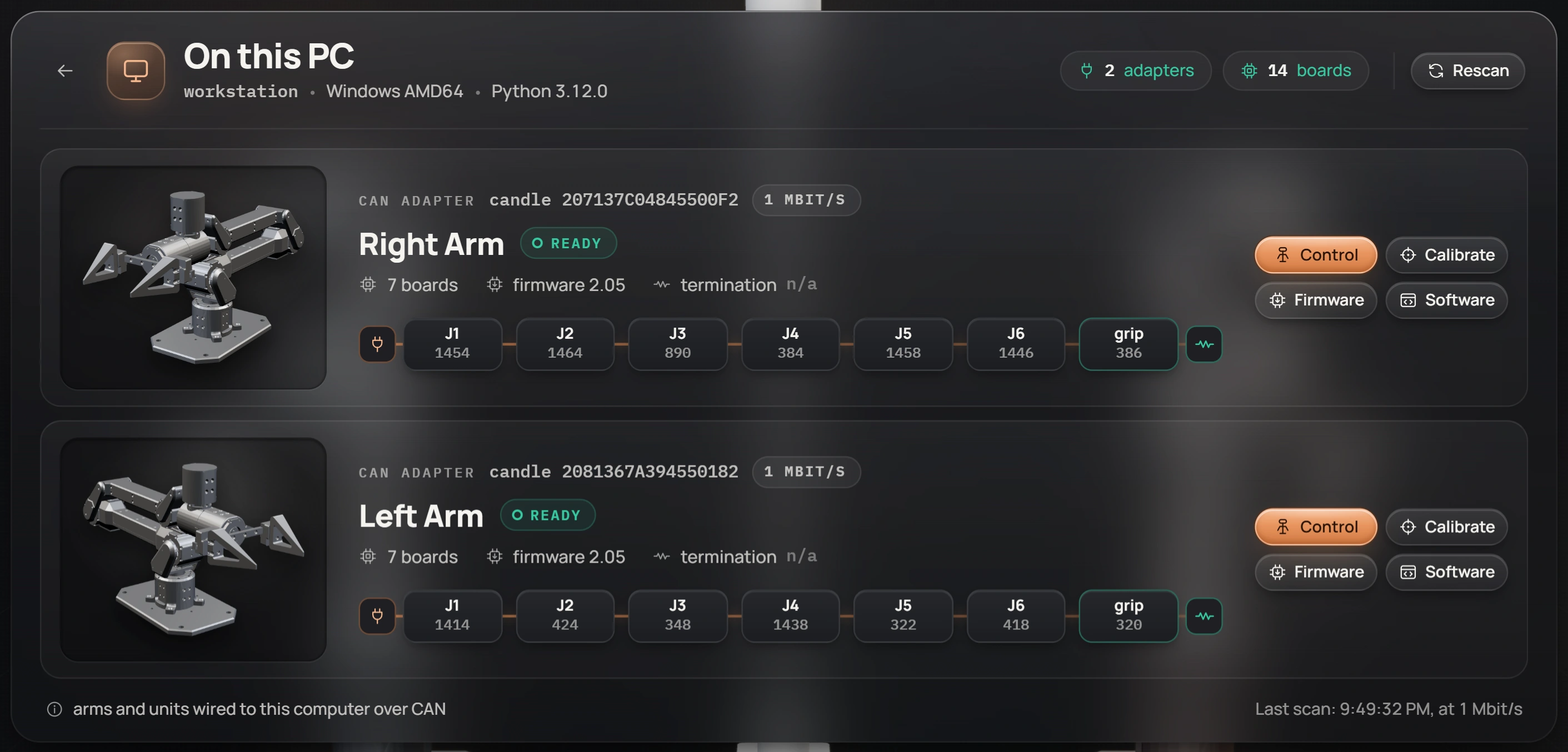
In the console, On this PC shows both arms, each on its adapter, each with its own row.
Drive them as one robot
A session on your PC takes every adapter it finds, so with both arms plugged in you get both in one robot:
from makiina.robot import Robot

robot = Robot.connect_local()
robot.parts                     # ["left_arm", "right_arm"]
robot.sensors.get_joints()      # J01-R to J06-R and J01-L to J06-L
One session means one set of limits, one command loop and one clock for both arms, which is what you want for coordinated moves:
robot.control.set_joints_relative({"J01-R": 0.1, "J01-L": -0.1})The console does the same: Control on either row opens one session with both arms, and the L and R chips next to ARM let you gate one of them while you work with the other.
Drive them as two sessions
To run the arms from two scripts, or to keep a crash in one from touching the other, open one session per adapter. Each session starts its own robot server, so the second one needs its own port:
right = Robot.connect_local(adapters=[{"interface": "candle", "channel": "207137C04845500F2:0"}])
left = Robot.connect_local(adapters=[{"interface": "candle", "channel": "2081367A394550182:0"}],
                           port=8771)

right.control.set_joints_relative({"J01-R": 0.05})
left.sensors.get_joints()
The two sessions are fully independent: separate limits, separate command loops, separate server logs.
Two arms on one bus
Put each arm on its own adapter. Both arms number their joints 1 to 6, so on a shared bus the software sees two of every joint and refuses to build a robot from them. Nothing breaks, but you cannot connect until the arms are on separate adapters.