
Get startedOverview
MAKIINA SDK
Drive MAKIINA arms, robots and actuators from the Robot Console or from Python, with one API behind both.
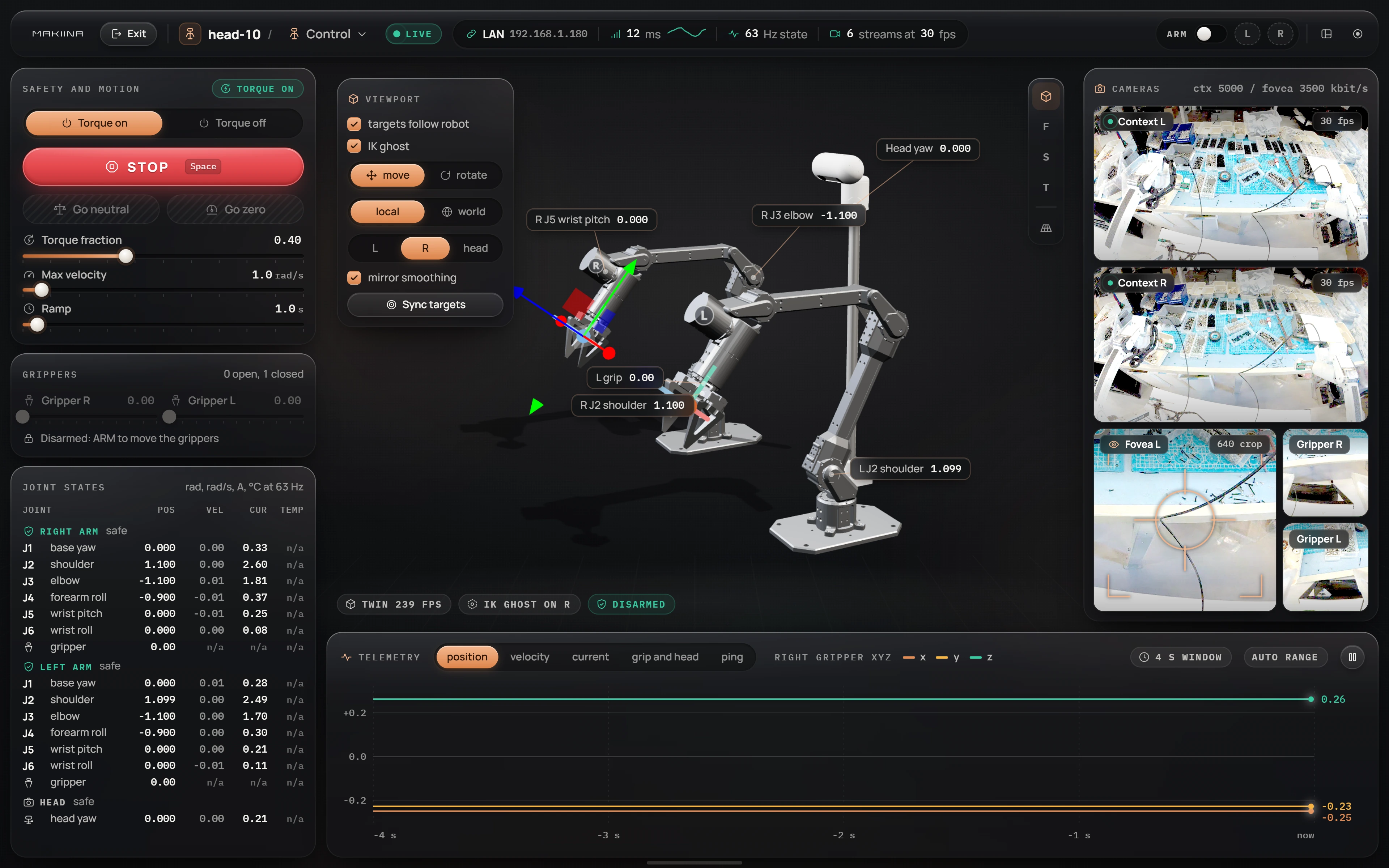
The MAKIINA SDK is a Python package, makiina, and the Robot Console that ships with it. You use it to drive an arm on your desk, a two-arm robot anywhere on your network, or a single actuator on a bench. The console is built on the same public API your scripts use, so everything you can do with a click, you can also do in code.
Start here
- Install the SDKUnzip the kit and run setup, or set up a checkout of the repository.
- Move your first armConnect, arm and move a joint from the console, then do the same in ten lines of Python.
- Drive from the cockpitEvery panel of the Control page, and the API call behind each one.
- Connect from PythonOpen a session with the arm on your PC, a robot in your fleet, or a robot on your LAN.
Build with it
- Move joints safelySet limits, move one joint or many, go to named poses, stop and release.
- Move the gripper in spaceCommand gripper poses in metres and let the kinematic twin solve the joints.
- Read joints, currents and posesSample measured state, plot it, and know when each value was measured.
- See what the robot seesGet the camera frames as arrays, steer the foveas and turn the head.
- Record demonstrationsCapture sessions for learning, from the console or from your code.
- Tune the joints liveChange each joint's gains and limits while the robot runs, and read back what it uses.
- Run two arms on one PCOne adapter per arm, as two sessions or as one robot.
- Drive a single actuatorTalk to one MAKIINA drive over CAN, without a server.
A first script
This connects to the arm plugged into your PC, sets conservative limits, prints where every joint is, and turns the base joint by 0.1 rad:
import time
from makiina.robot import Robot

robot = Robot.connect_local()                   # the arm on this PC's USB CAN adapter
robot.safety.set_torque_fraction(0.4)           # 40 % of each joint's current limit
robot.safety.set_max_joint_velocity(0.5)        # rad/s at the joint
print(robot.sensors.get_joints())               # {"J01-R": 0.0, "J02-R": 1.1, ...}
robot.control.set_joints_relative({"J01-R": 0.1})
time.sleep(1)                                   # the move takes a moment
robot.disconnect()
The arm cannot move until your first motion command, here set_joints_relative, and that command starts from where the arm actually is, so it never jumps. If your script dies halfway, the robot stops itself after 30 seconds without commands. Move joints safely covers limits, stopping and releasing the arm.
Swap Robot.connect_local() for Robot.connect("head-10") and the same lines drive the two-arm robot over the network.
What you need
- A MAKIINA arm, robot or actuator. They leave the factory calibrated and with their firmware loaded, so there is nothing to set up on the hardware.
- A USB CAN adapter (candleLight class) for each arm or actuator you plug into your PC. Robots on the network need none.
- Windows or Linux on x86_64, or Linux on ARM64. The kit brings its own Python.
- A MAKIINA Cloud account to reach robots through the fleet.
How the pieces fit
makiina.actuator talks to one drive directly. makiina.robot gives you a Robot object for an arm on your PC or a robot anywhere, with the same five namespaces either way: sensors, model, control, safety and actuation. The Robot Console is a web page on your PC that uses that same object.